
Visitor app
ASIP Passport: your visitor pass, on your phone
One free app for checking in at sites that use ASIP Reception. Scan the code at the front desk, read the site's instructions and stay reachable if something goes wrong while you're there.
Free to download on iPhone and Android.


- Free to use
- No marketing, ever
- Your data is never sold
How it works
How to check in with ASIP Passport
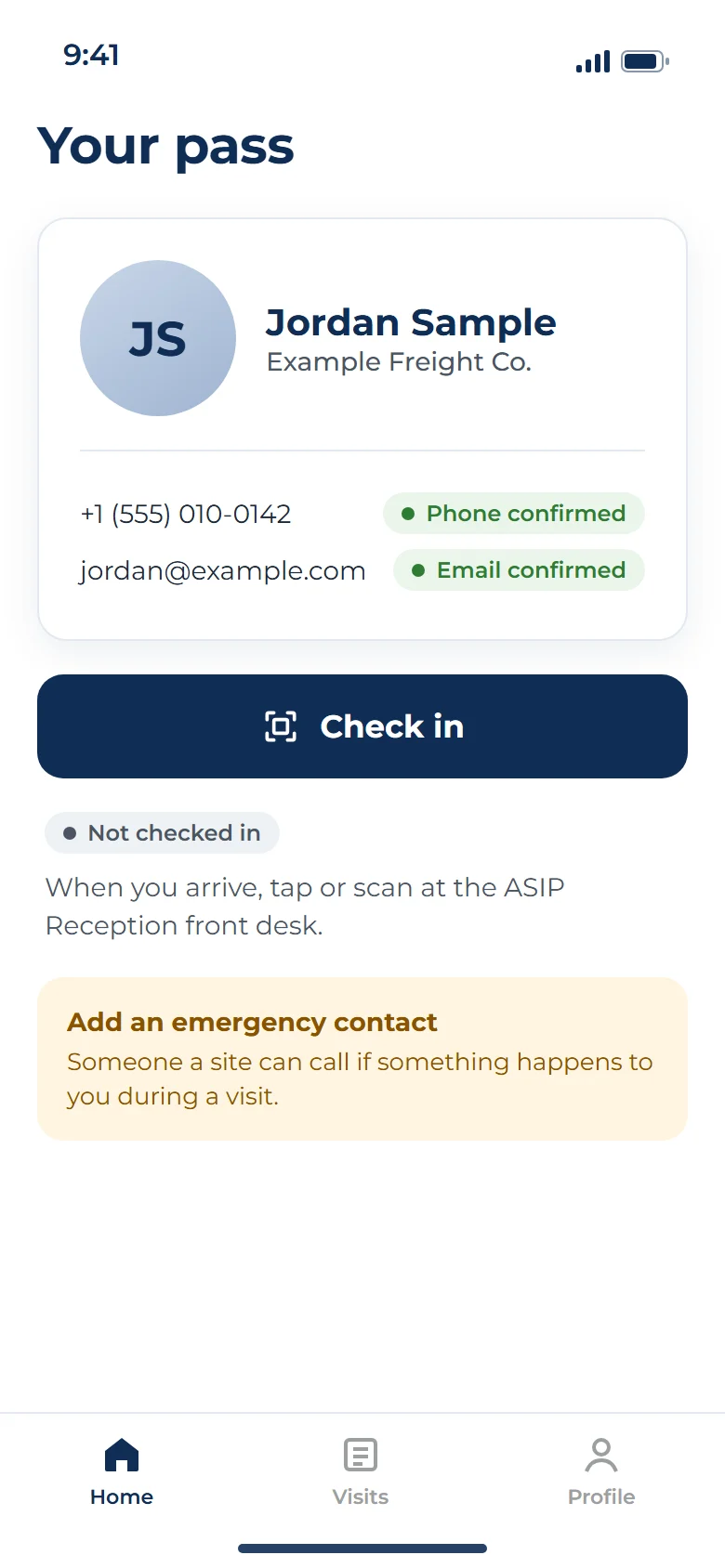
Type your details once. After that, checking in at a site takes a scan.
- Step 01
Set up once
Add your name, mobile number, email and a photo. We send a one-time code to your phone and one to your email to confirm they're yours. There's no password to remember.
- Step 02
Scan at the kiosk
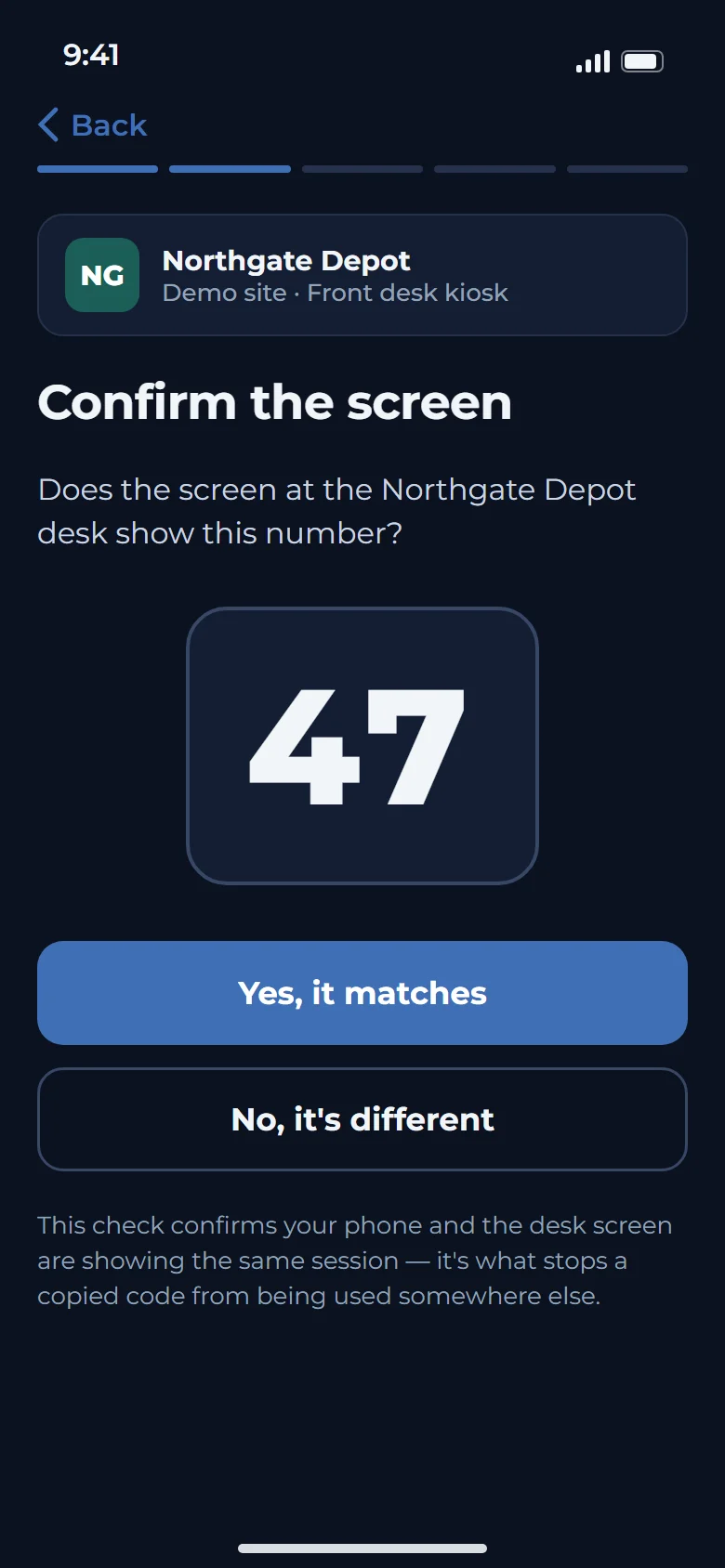
At a site that uses ASIP Reception, scan the code on the kiosk screen and check that the number on your phone matches the kiosk. Then choose who you're visiting. The site gets your details for this visit only.
- Step 03
Read the site's instructions
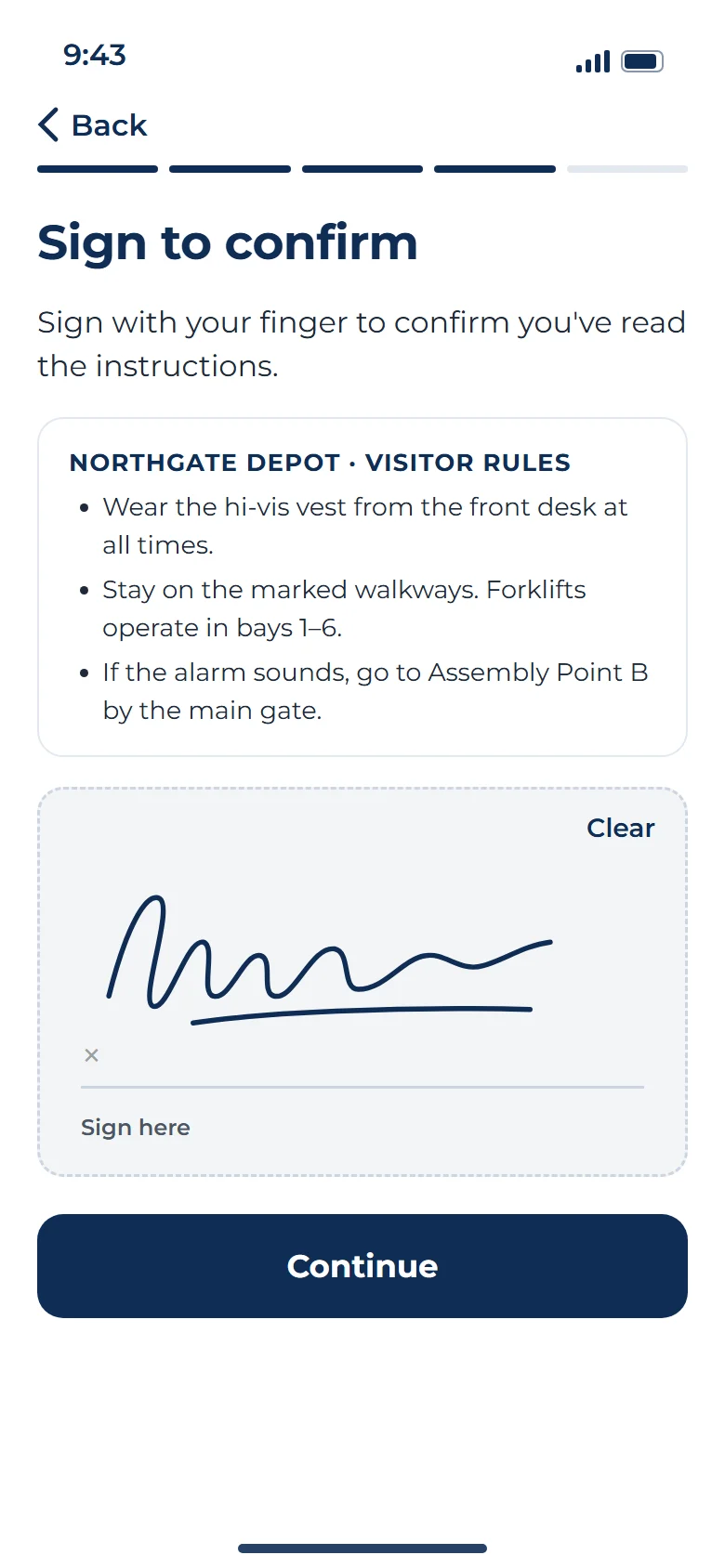
Each site shares its own rules, safety briefing and visitor notice, and you read them right in the app. If the site asks for a signature, you can sign on your phone. Your host can be told you've arrived.
- Step 04
Check out when you leave
Tap to check out. If you forget, Passport may check you out when you leave the site's area, or at midnight local time.
Automatic check-out depends on your phone, its settings and its signal, so please check out yourself when you can.
Safety first
How ASIP Passport helps a site reach you in an emergency
Safety is our first priority. If there's an evacuation or other emergency at a site where you're checked in, that site's team can reach you on your phone, even if you're nowhere near the front desk.
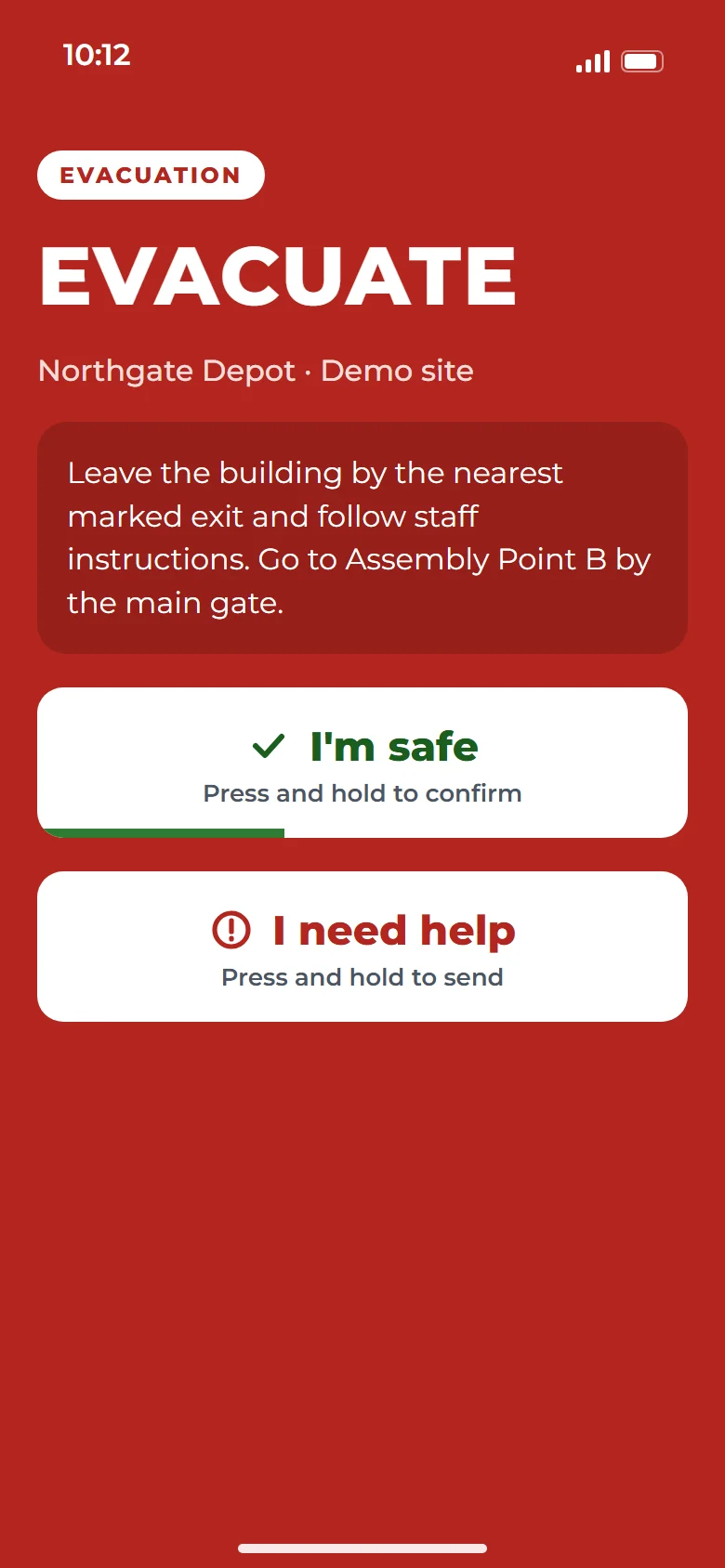
How the site can reach you
App alert
An alert on your phone that shows the site's emergency screen.
Text message
A text to your mobile number with what's happening.
Automated call
A phone call with a recorded message, so an alert still reaches you when your phone is in your pocket.
Tell the site you're safe
You can mark yourself safe in any of three ways:
- I'm safeTap I'm safe in the app
- SAFEReply SAFE to the text
- 1Press 1 on the call
Your answer goes to the site's emergency team, so they know to look for someone else.
Ask for help
Tap I need help in the app or reply HELP to the text. The site's emergency team is told right away, and your current location may be shared with them so they can find you.
ASIP Passport does not replace emergency services. If you're in danger, call 911 or your local emergency number, and follow the site's alarms and instructions. Alerts depend on your phone, its settings and its signal, so they may arrive late or not at all.
Your data
What ASIP Passport does with your data
Keeping your data safe comes first, so here's the short version in plain words.
The Passport promise
- No sales calls.
- No marketing.We never send you marketing messages.
- Never sold.Your data is never sold and never shared for advertising.
- Used for two things only.Your phone number and email are used only to:
- Give you visitor access at the sites you check in to, which includes confirming it's you and helping you get back into your account.
- Reach you during an emergency or crisis at a site you're visiting.
Shared only when you check in. A site gets your details only when you check in there, and only for that visit. It can't see your visits to other sites.
Location only while you're checked in. Passport uses your location only while you're checked in. We keep no trail of where you've been. When you leave, the site learns that you left, not where you went.
Extra protection on your contact details. Your phone number, email and vehicle details get an extra layer of encryption before they're stored.
You're in control. You can see and edit your profile, turn off alerts and delete your account in the app.
Each site's rules are its own. Each site's visitor notice and policies come from the company that runs that site, not from ASIP. You'll see them in the app when you check in.
Who it's for
Who ASIP Passport is for
ASIP Passport is for anyone visiting a site that uses ASIP Reception to sign people in: visitors, contractors, vendors, auditors, inspectors and job candidates. It's most useful if you visit more than one site, because the same profile works everywhere ASIP Reception is used.
- Regular visitors: Set up once and skip the paperwork at every visit.
- Contractors and vendors: Check in quickly and see each site's rules before you start work.
- First-time visitors: Find your host and the site's instructions on your own phone, in your own time.
You need to be 18 or older to use ASIP Passport. Visitors under 18 are signed in by the site's front desk or staff.
Questions
ASIP Passport FAQ
Is ASIP Passport free?
Yes. ASIP Passport is a free visitor check-in app for iPhone and Android. It's free to download and free to use.
Where can I use ASIP Passport?
At any site that uses ASIP Reception to sign visitors in. When you arrive, look for the code on the kiosk screen. If a site doesn't use ASIP Reception, sign in the way it asks.
Who can see my information?
Only the site you check in to, and only for that visit. That site can't see where else you've been. ASIP never sells your data or uses it for marketing. Each site's own visitor notice explains how that site handles its visit records.
Does ASIP Passport track my location?
No. Passport uses your location only while you're checked in, so it can check you out when you leave and help the site's team during an emergency. It keeps no history of where you've been. Location is optional, but without it you'll need to check out yourself.
What happens if there's an emergency at the site?
If a site where you're checked in starts an evacuation or emergency alert, the site's team can reach you by app alert, text and automated call. You can mark yourself safe in the app, by replying SAFE or by pressing 1 on the call. ASIP Passport does not replace emergency services. If you're in danger, call 911 or your local emergency number.
How do I know a safety text or call is really from ASIP Passport?
Safety texts and automated calls come from ASIP's toll-free number, +1 (833) 274-0115. The number only sends alerts, and if you call it back you'll hear a short recorded message. You'll only get safety alerts about a site where you're checked in.
Can I delete my ASIP Passport account?
Yes. You can delete your account in the app at any time, or email [email protected]. Deleting your account removes your Passport profile. Visit records that sites already hold follow each site's own retention rules.
Your next site visit starts on your phone.
ASIP Passport is free on iPhone and Android. Set it up once and it's ready for every visit.
Free to download.
Apple and the Apple logo are trademarks of Apple Inc., registered in the U.S. and other countries. App Store is a service mark of Apple Inc. Google Play and the Google Play logo are trademarks of Google LLC.